Keyboard remapping
I expect some capabilities and comforts for the keyboards I use, from years of Vim-like editing experiences and writing in multiple languages. Having been previously satisfied with customising the layout of my split keyboard, I’ve recently moved into a shared office where the thwock sounds would be antisocial at best. I have thus devised an elegant solution:
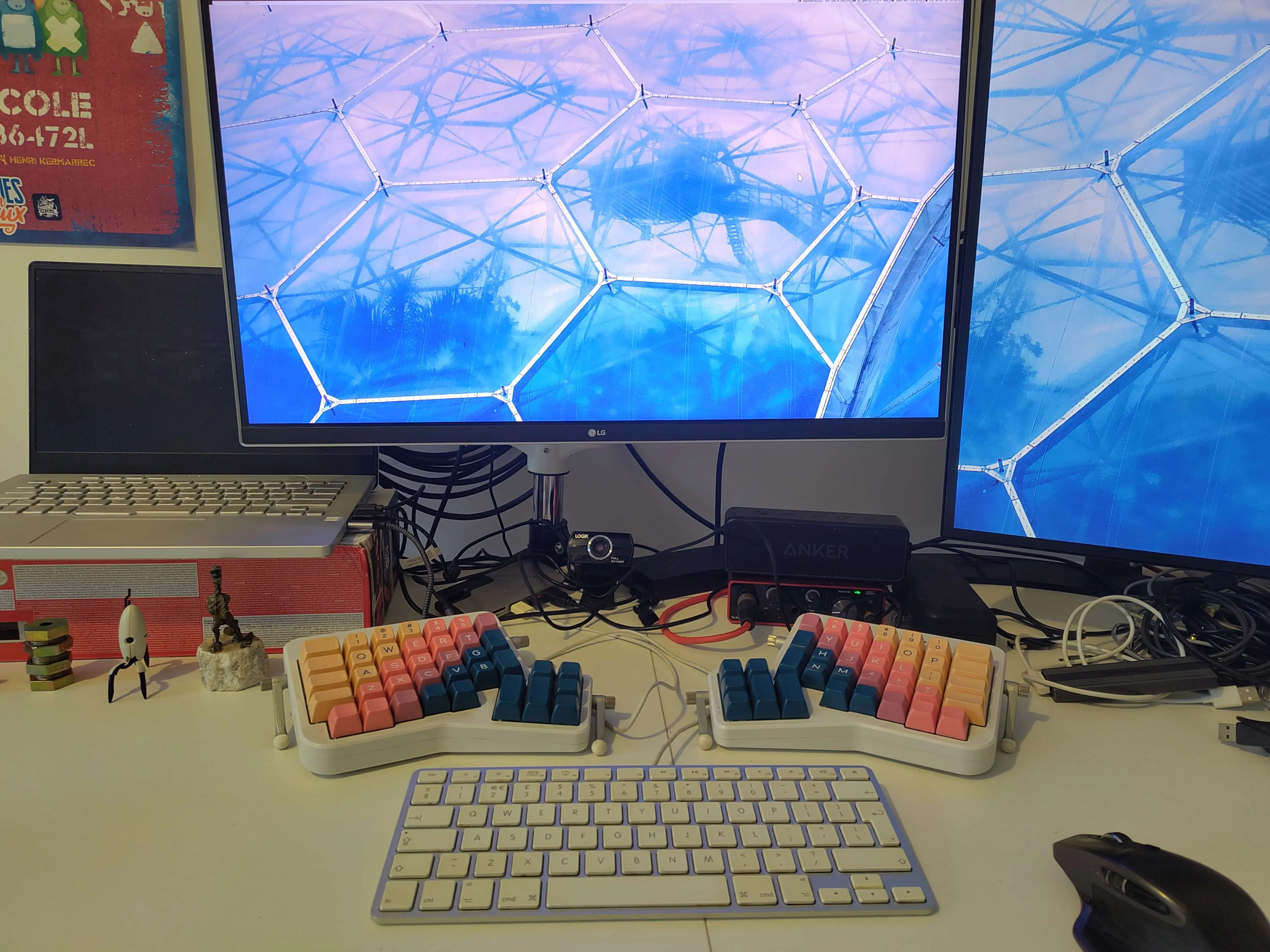
I now use an old Apple keyboard, which I appreciate for its small size and low profile, in combination with a split Ergodox mechanical keyboard. For the sake of my muscle memory, I remapped the right hand Super (cmd) key to a second AltGr, to stop me from opening a file manager every time I wanted to type “è”. While messaging applications accepted this without complaint, in Neovim I found I was typing <D-è> instead, prompting me to examine how I’d implemented my keyboard scripts in the first place to see if there was a better way.
Historically I’ve used a mixture of xmodmap, xcape and setxkbmap to remap keys at startup, but had paid little attention to what each of them actually did. As it turns out, setxkbmap largely supersedes xmodmap and I was encountering a conflict between using the former to set my qwerty-fr layout and the latter to implement my second AltGr.
Replacing my use of xmodmap entirely with setxkbmap:
#!/usr/bin/env sh

# setup qwerty-fr layout
#   make caps lock into a ctrl modifier instead
#   make super right into a second altgr (for muscle memory on apple keyboard)
setxkbmap -v -layout us_qwerty-fr \
    -option 'caps:ctrl_modifier' \
    -option 'lv3:rwin_switch'

# intercept (physical) caps lock keyup as esc
xcape -e "Caps_Lock=Escape"
This has fixed the weird interaction error. In future, I’d like to look into whether I can apply some changes only to one keyboard, since I can customise the layout of the Ergodox in firmware so some of this only applies to the Apple board.